Digital Security Tips – Made Simple – Protect Your Accounts and Devices Without the Hassle
Digital Security Tips, keeping your digital life secure doesn’t have to be complicated. From weak passwords to phishing emails, most security breaches happen because of avoidable mistakes.
This guide explains how to protect your accounts and devices with practical, everyday steps – without turning your life into a maze of security settings.And it covers cybersecurity basics for individuals.
Why Security Matters More Than Ever
- Online threats have grown: identity theft, ransomware, and scams.
- One compromised account can expose your email, bank, or workplace.
- Cybercriminals target ordinary people, not just big companies.
Our Cybersecurity hub explains how digital security fits into the bigger picture.
Everyday Security Risks People Overlook
Weak or Reused Passwords
- Using “123456” or reusing one password across accounts doesn’t protect against hackers and makes you an easy target.
Phishing Emails and Fake Websites
- Scammers trick you into clicking links or entering credentials.
Public Wi-Fi Dangers
- Hackers can intercept unencrypted traffic in cafes, airports, hotels.
Outdated Apps & Operating Systems
- Old software is full of unpatched vulnerabilities.
Easy Security Fixes Anyone Can Do
The following are recomendations on how to secure accounts. They are easy security practices to implement.
Strong Passwords & Password Managers
- Use long, unique passwords (12+ characters).
- A password manager (Bitwarden, 1Password, LastPass) generates and stores them safely.
Multi-Factor Authentication (MFA)
- Adds an extra layer (code via app, SMS, or hardware key).
- Essential for email, banking, and Microsoft/Google accounts.
Keep Software & OS Updated
- Enable automatic updates for Windows/macOS and apps.
- Updates patch known security holes.
Make keeping software & OS updated part of your simple online security.
Backups for Disaster Recovery
- Use OneDrive, Google Drive, or external drives.
- Backups protect against ransomware and hardware failure.
Device-Level Security
The suggestions below help to keep devices safe online.
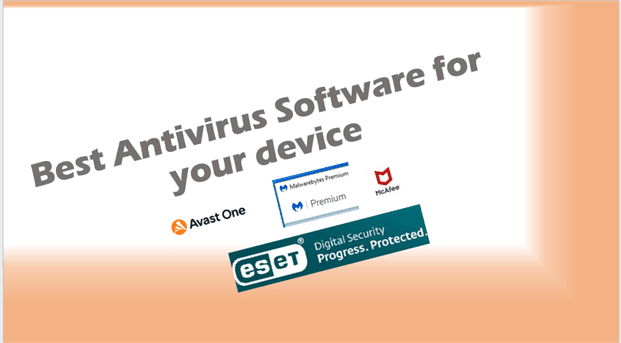
Antivirus and Antimalware
- Windows Defender is good for most users.
- Pair with a second opinion scanner (e.g., Malwarebytes).
See our in-depth guide on Antivirus in the Antivirus section.
Disk Encryption
- Encrypt your hard drive (BitLocker, FileVault) so lost devices don’t expose data. – Our Encryption hub covers securing sensitive data.
Mobile Phone Security
- Enable PIN/biometrics.
- Keep apps updated.
- Use “Find My Device” for remote lock/wipe.
Smart Habits That Improve Security Instantly
- Don’t click unknown links or attachments. (Learn how to spot scams in our Phishing hub)
- Use credit cards or payment services (PayPal) instead of debit cards online.
- Avoid oversharing personal info on social media.
- Regularly review account logins and device activity – See related fixes in the Microsoft hub.
FAQs (Digital Security Tips)
What is the simplest way to improve my online security?
Start with strong passwords, a password manager, and enable MFA.
Do I really need antivirus software?
Yes—Windows Defender is fine for most, but use Malwarebytes or similar as a backup scanner.
Is public Wi-Fi safe to use?
Not without protection. Always use a VPN on public networks.
How do I secure my smartphone?
Keep it updated, use PIN/biometric lock, and enable remote wipe features.
External sites
- For more, see National Cyber Security Centre UK, which provides practical user guidance.
- External reference: CISA Cybersecurity Tips offers further reading.